
Primary Care Resources
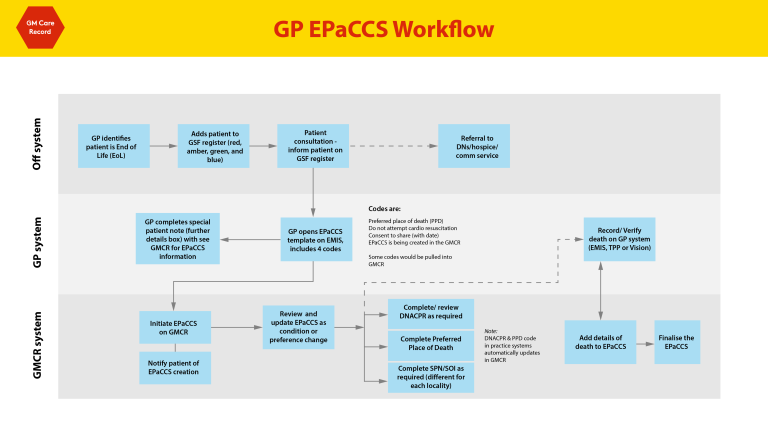
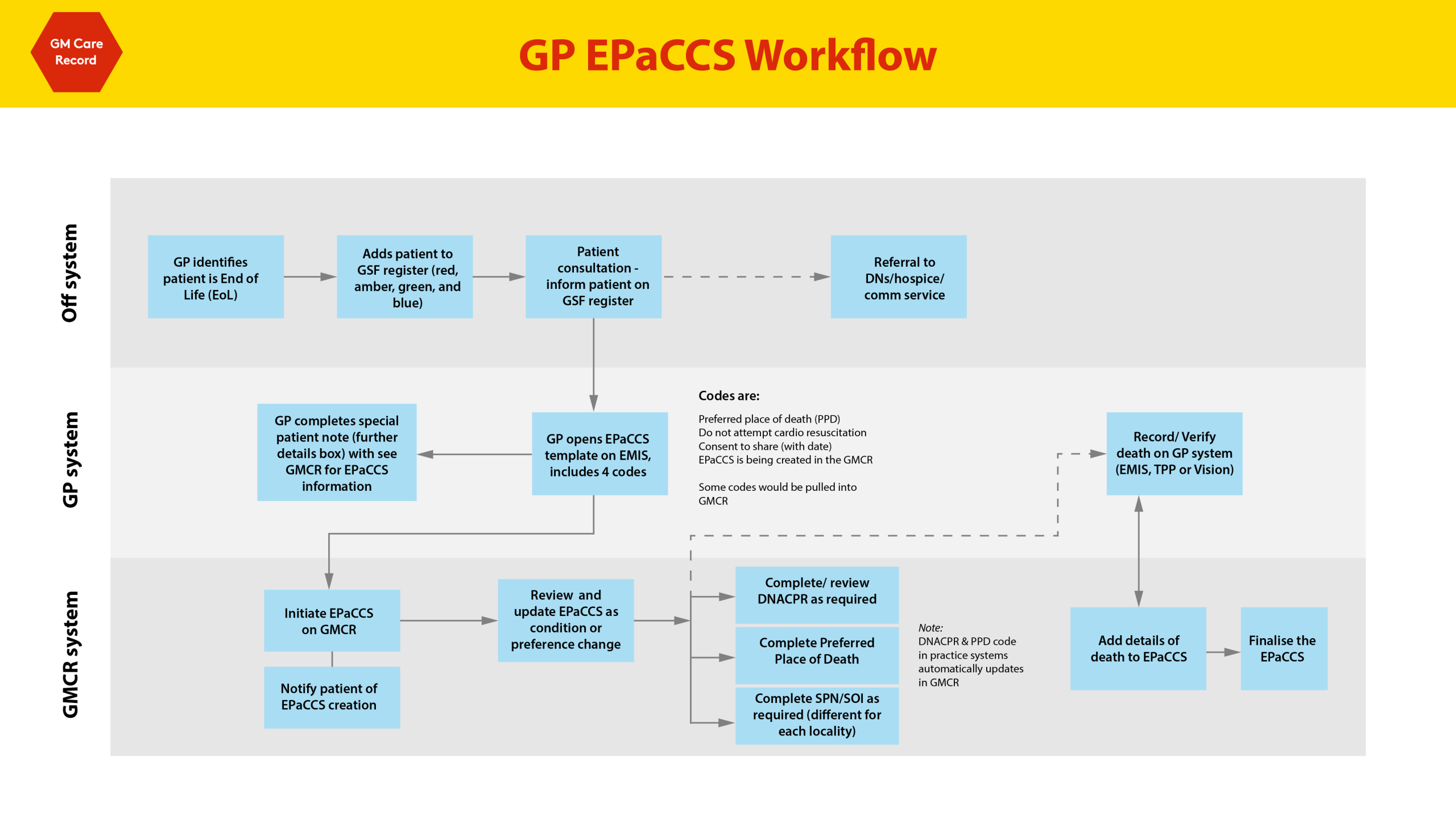
Do I have to complete an EPaCCS on my local EPR (i.e. EMIS/SystmOne) as well as the GMCR?
No, a code can be added to EMIS or SystmOne to direct clinicians to the GMCR. See below examples:
EMIS
SystmOne
Does the GMCR EPaCCS write back to EMIS/SystmOne?
No.
Should the GMCR EPaCCS be used for Palliative/Gold Standard Frameworks (GSF) meetings?
Yes, once your patients have a GMCR EPaCCS it can be used for Palliative/GSF meeting discussions. There is also a dashboard available to help manage these patients – access to the dashboard can by contact your local IT Helpdesk.
Will it just be GPs / primary Care that will be required to complete these?
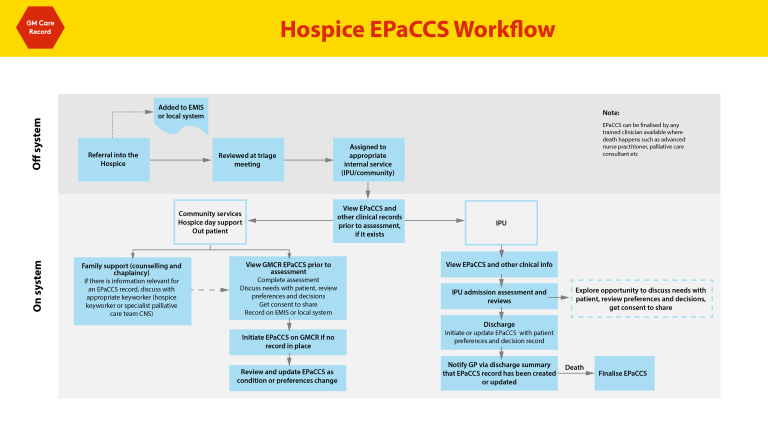
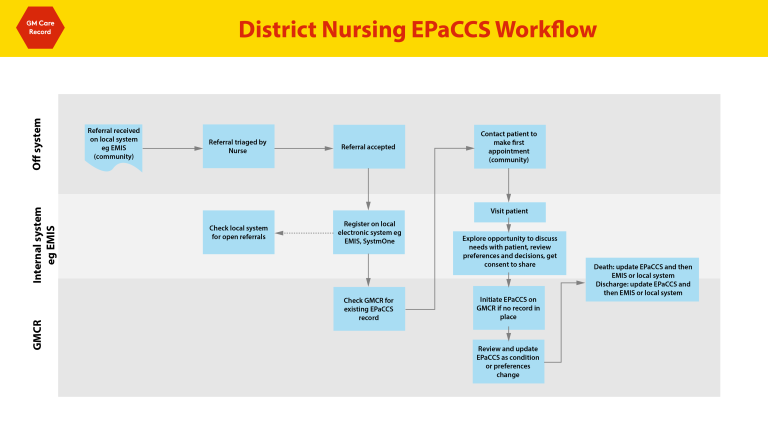
No, training and access will be provided to hospices, community services and secondary care too. However, any patient on the Palliative Care or GSF Register at your practice should have a GMCR EPaCCS created with their consent.
Can the EPaCCS be created as a PDF format which could be sent to care homes?
Yes, you can print/download or email the EPaCCS form to share with care homes. Watch this short video for more information: How to Email an EPaCCS Form in the GMCR.
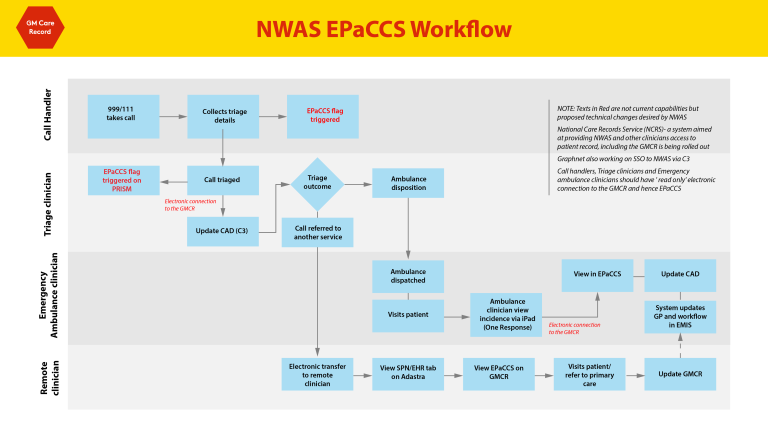
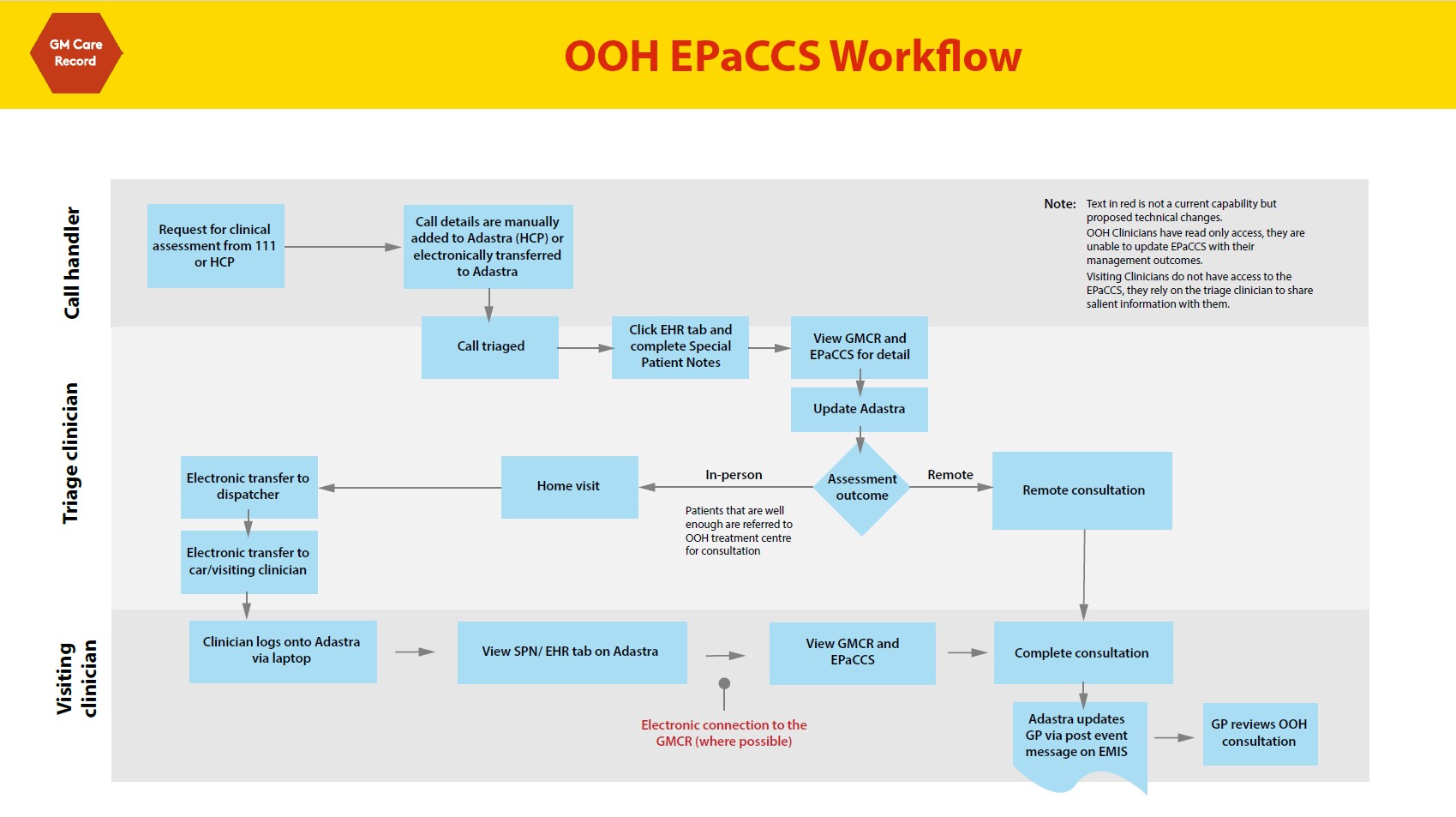
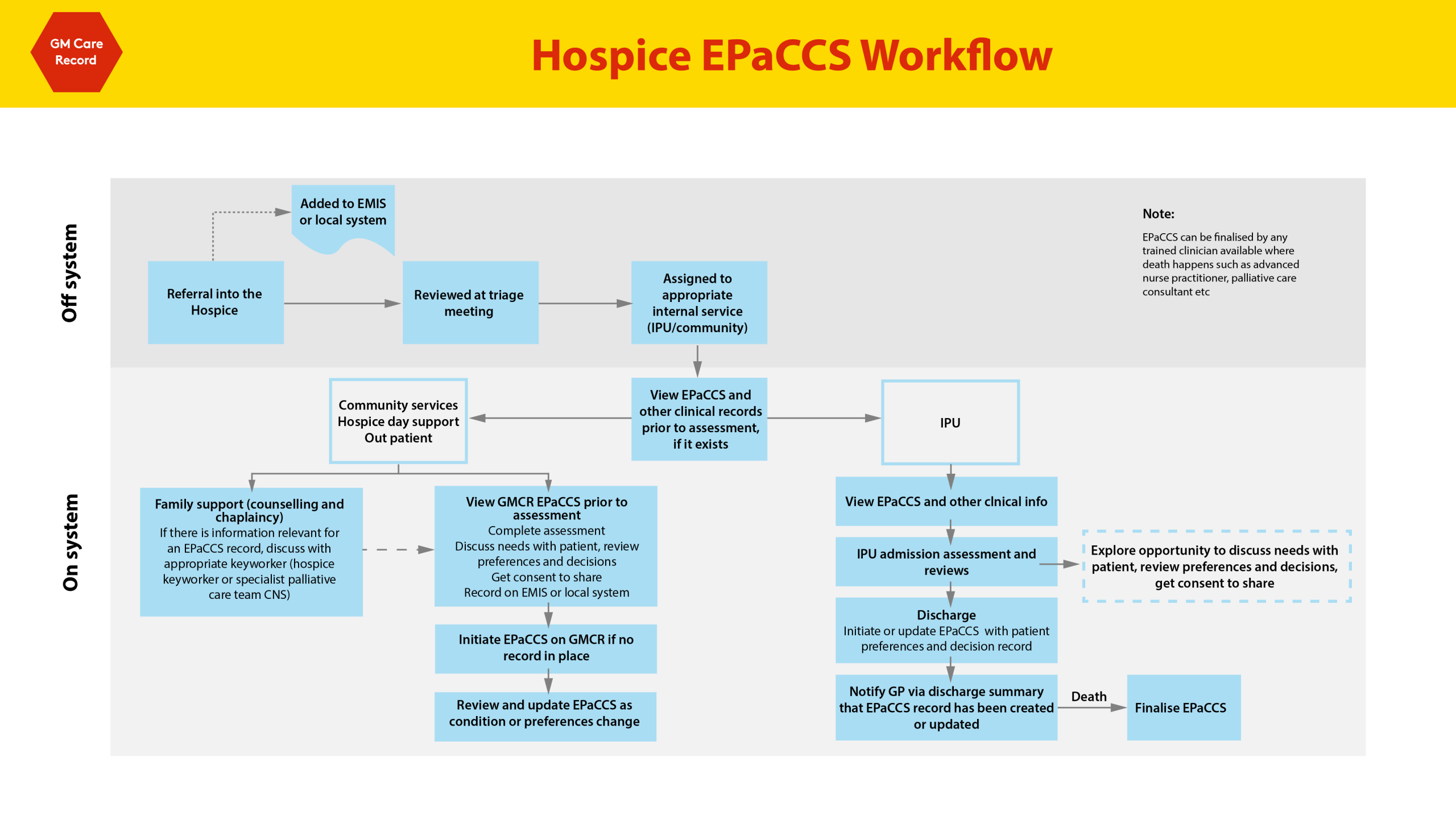
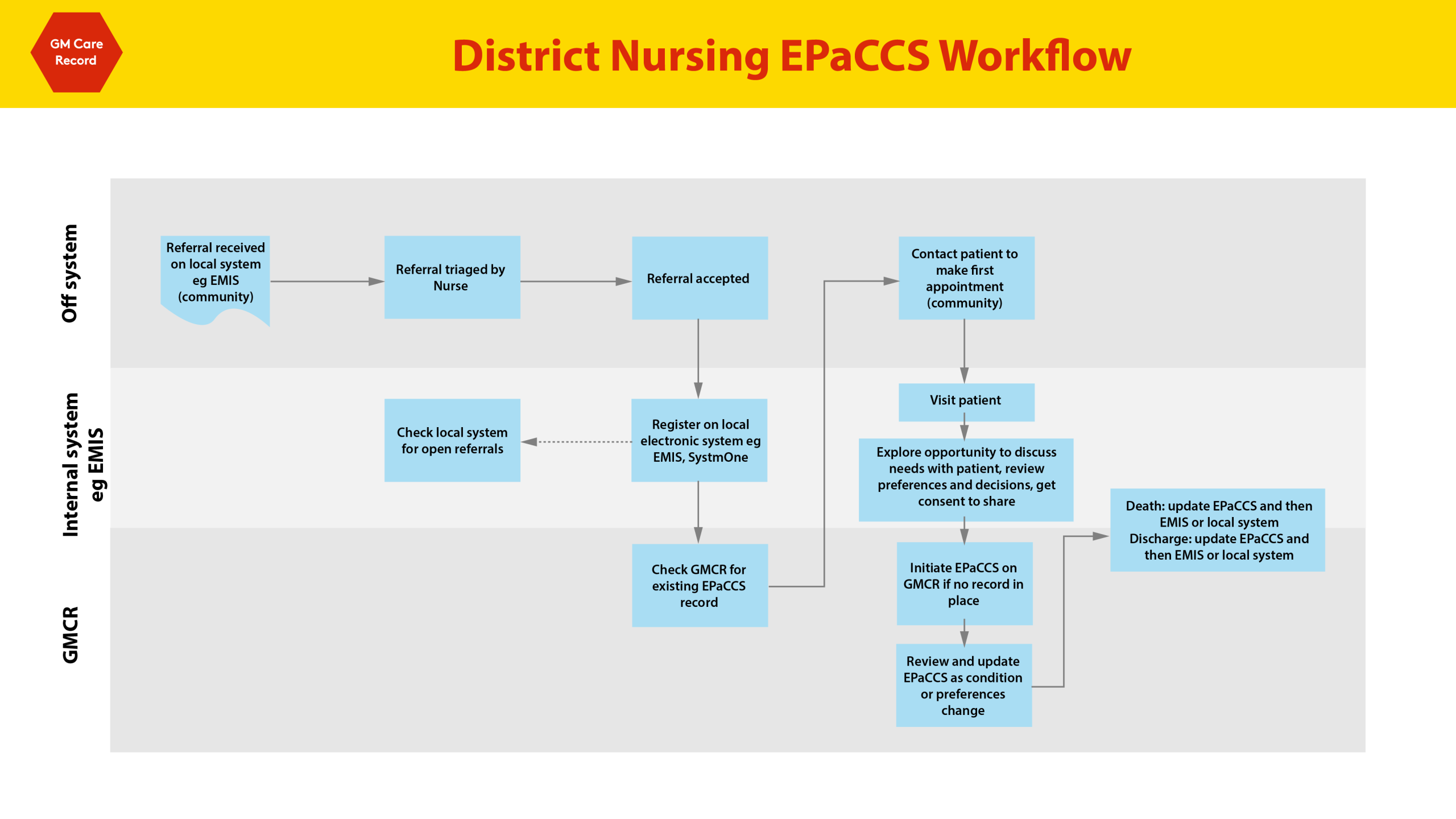
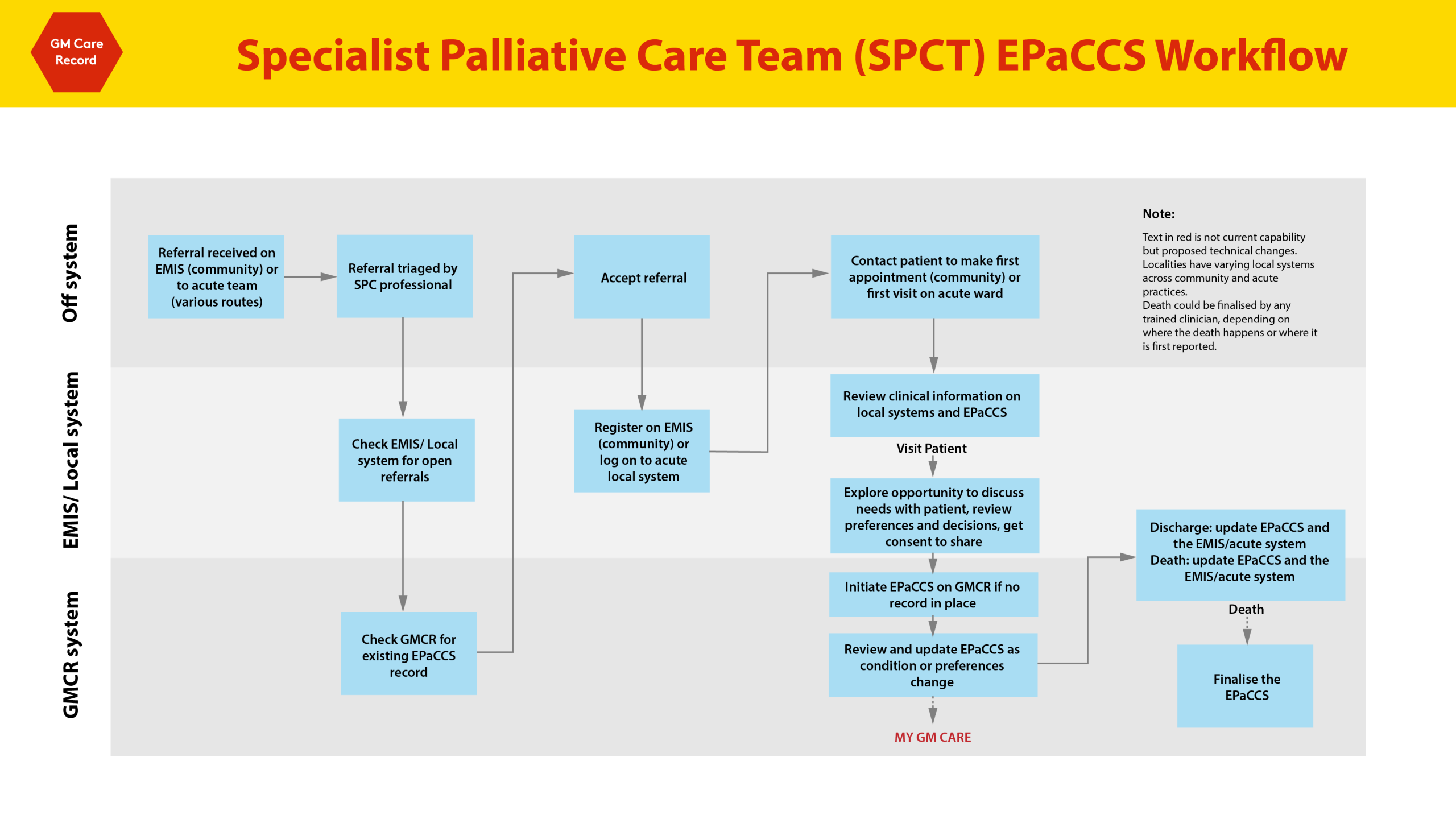
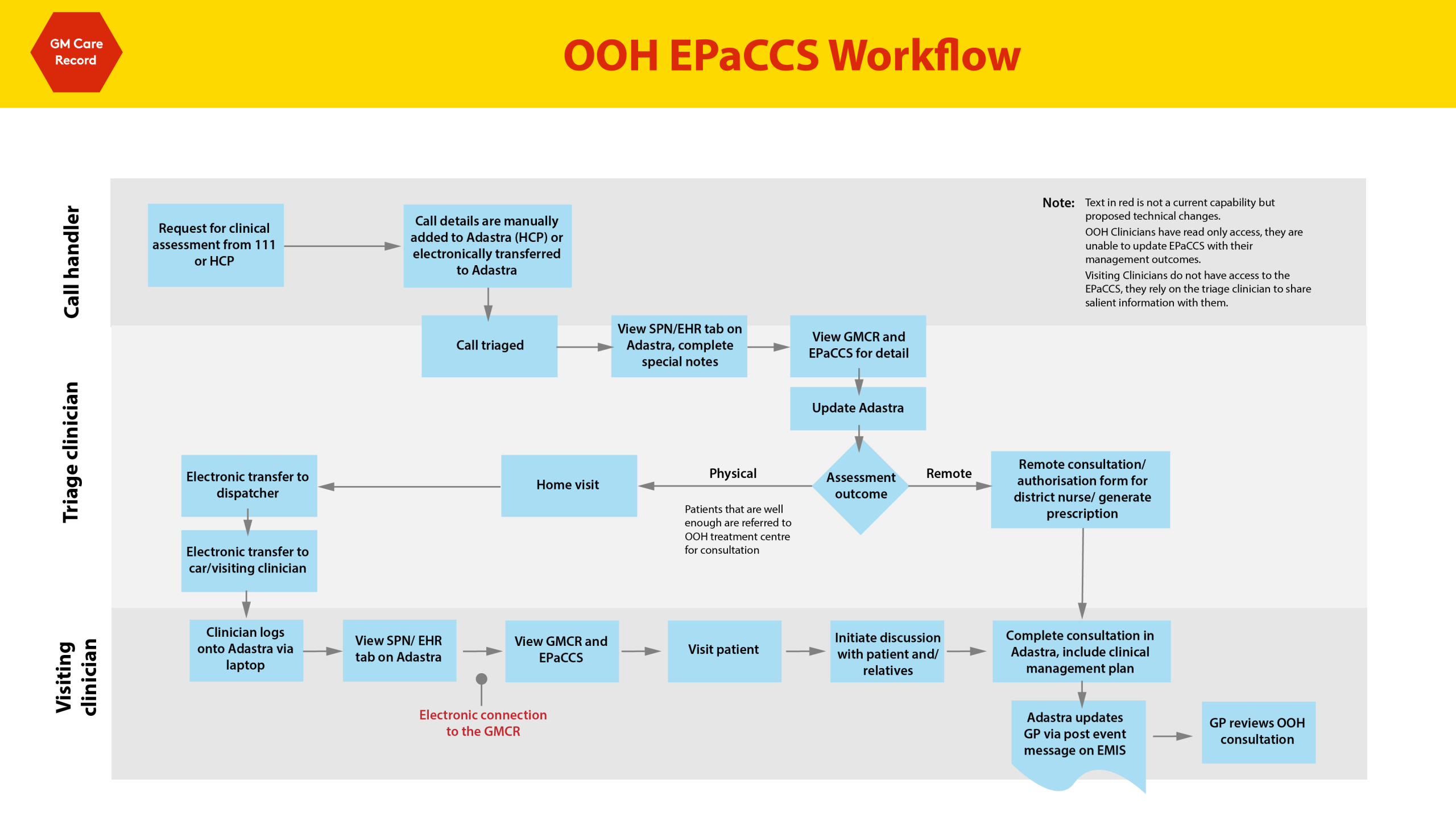
Does GMCR EPaCCS replace our palliative care communication with Out of Hours services?
This will depend on local implementation and processes, please check this with your local teams.
Can an admin member of staff support creating a GMCR EPaCCS: If that admin member of staff has been designated as a responsible person to input information gained by a healthcare professional during a clinical consultation, they may copy this information from their EPR onto a GMCR EPaCCS.
Business Continuity Planning and System Downtime: In the case of system outage or downtime for the GMCR, please refer to your own business continuity plans, and use relevant information from your local EPR.
Will Advance Care Planning codes automatically populate EPaCCS fields?
Advance Care Planning codes will not automatically populate in an EPaCCS form, however any advance care planning coded data will display from the GP source system in GMCR EPaCCS when it is created, and if the information is available.